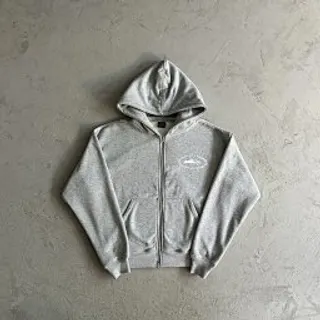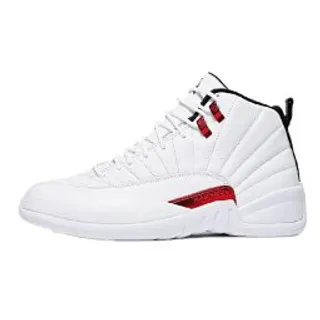
Keep the full Weidian link and its item ID together with the options you chose.
Start with the original Weidian listing
Every find on KakoFinds comes from Weidian. A Weidian product URL carries the item ID, usually in the itemID part of its address. That number identifies the listing within Weidian.
Keep the full Weidian URL rather than only the number. A bare number copied into a note can lose its context over time, while the full link opens the listing directly.
Use a KakoFinds item page to share a find
Every KakoFinds item page has an address that starts with /item/ and ends with the Weidian item ID, and the page shows the same ID too. That makes it easy to revisit a find or send it to someone else: the ID in the address points to the same Weidian listing.
If the listing contains several colors or models, say which one you mean when you share it. The final options still need to be checked on the agent before purchasing.
What an agent link changes
An agent link opens a Weidian listing through a shopping service such as Kakobuy. It usually carries the Weidian link or item ID. The agent then presents its own ordering interface, pricing information and available options.
Opening a listing on an agent does not verify the product, reserve stock or confirm every size. Compare the image, title, seller, item ID and selected variant after the agent page loads. If the wrong listing appears, return to the original Weidian link rather than relying on a similar title.
Open a find on Kakobuy from the item page
- Find the item in the shop, with a text search or image search.
- On the item page, note the Weidian item ID.
- Use the Kakobuy button to open the listing. Other shopping agents are listed on the same page.
- Check that the item ID, product, selected options and price match on the agent page.
KakoFinds is a search catalog and does not convert pasted links. If you found a Weidian link somewhere else, search the shop for the product or paste the link on your agent directly. Do not replace it with an unrelated listing just because the product name looks similar.
Keep a short record of your choice
Save three things together: the Weidian link, the KakoFinds item page and your intended options. Add the date if you are comparing prices over time. A title or photo may change while a listing stays at the same URL.
If a product becomes unavailable, an old link cannot restore the seller’s stock. Look for another listing, then repeat the identity and photo checks. Our spreadsheet guide walks through that comparison from the beginning.
Questions
Where do I find the Weidian item ID?
On every KakoFinds item page and at the end of its address. In a Weidian URL it appears in the itemID part.
Can I paste a link into KakoFinds?
No. KakoFinds is a search catalog. Use the text search or image search, or paste the Weidian link on Kakobuy itself.
Can I open a find on an agent other than Kakobuy?
Yes. Item pages also list other shopping agents. Whichever you use, check the item ID and options on the agent page before paying.